
Short answer: The best Photoshop digital art ideas for beginners are moonlit landscapes, portraits, and character art, because they teach layers, brushes, and light in one picture. Start with a simple scene, paint on separate layers, and use soft brushes for skies and hard brushes for details. This collection gives you 20 finished ideas, from a cave sunset to a twilight cityscape, each with a picture to copy, study, or remix in Photoshop.
The endless possibilities of Photoshop digital art! Dive into a world of creativity where vibrant colors, imaginative designs, and innovative techniques come together. Whether you’re a beginner or an experienced artist, these inspiring ideas will elevate your artwork and spark your creative journey. Get ready to transform your digital canvas.
1. Pick the Right Idea First
In this article
- Pick the right idea first
- The 20 Photoshop digital art ideas
- Photoshop techniques behind these ideas
- Mistakes that flatten digital art
- Frequently asked questions
The 2-minute picker
Do not start with the hardest picture. Start with the one that matches what you already like to draw. Landscapes forgive wobbly lines, portraits teach faces, and characters teach shape and colour.
| If you like | Start with these ideas | What you will practise |
|---|---|---|
| Skies and scenery | 1 Cave View Sunset, 8 Mountain Retreat, 18 Twilight Cityscape | Gradients, glow, and distance |
| People and faces | 6 Couple Portrait, 10 Elegant Portrait, 16 Autumn Portrait | Skin tones, hair, and expression |
| Animals and characters | 12 Adorable Bear Character, 13 Elephant Exhibit, 3 Seagull in Flight | Simple shapes and personality |
| Calm, dreamy scenes | 2 Moonlit Contemplation, 11 Cozy Reading Nook, 14 Stargazing Companions | Night light and quiet mood |
If you want more scenery to practise with, try the cool landscape digital art ideas collection next. For a stricter colour challenge, the black and white digital art ideas force you to build everything from light and shadow alone, which is one of the fastest ways to improve.
Beginner tip: Work on a large canvas, at least 3000 pixels on the long side, and paint the background, the middle ground, and the subject on separate layers. When the sky goes wrong, you can repaint it without touching the figure.
A drawing tablet makes long painting sessions much easier on your wrist, and our guide to the best drawing tablets for artists compares the main options. A mouse can still work for idea 1 and idea 18, where soft brushes and gradients do most of the work.
Photoshop Digital Art Ideas
1 Cave View Sunset
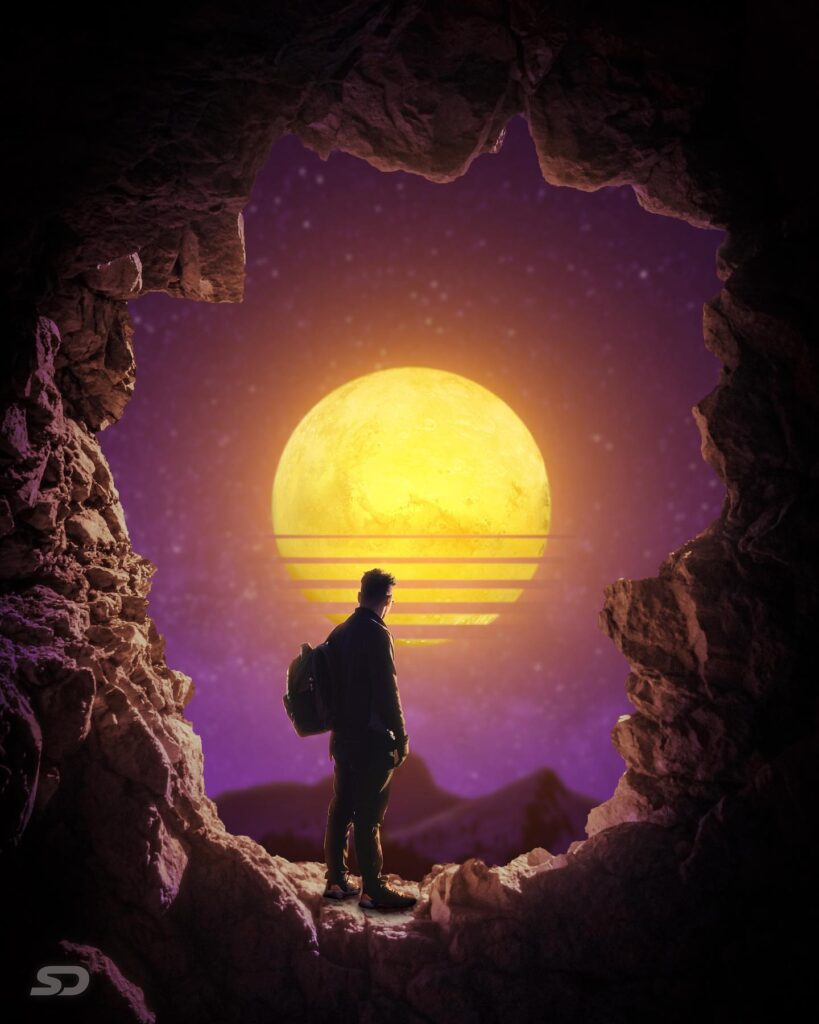
A lone traveler stands at the edge of a rocky cave, gazing at a mesmerizing sunset. The sky is painted in vibrant purples and oranges, with a large, glowing sun casting its warm light across the landscape. The scene captures a sense of adventure and wonder, as the traveler appears to be contemplating the beauty of nature and the vastness of the universe. This image evokes feelings of exploration and introspection, inviting viewers to imagine the journey that led to this breathtaking moment.
2 Moonlit Contemplation
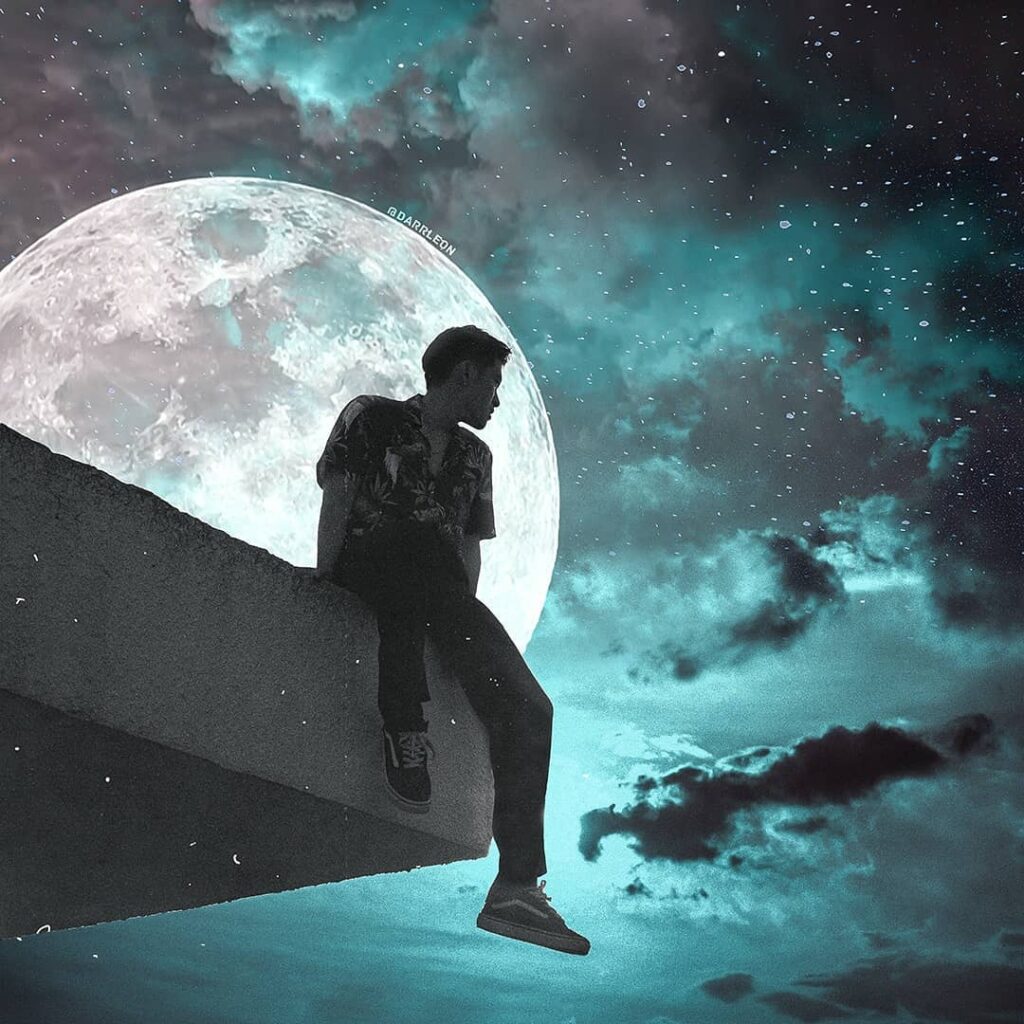
Perched on a ledge under a vast, starry sky, a person sits silhouetted against a luminous full moon. The moon’s glow bathes the scene in a serene, bluish light, creating an atmosphere of calm and reflection. This image beautifully captures the tranquility of night and the sense of solitude that often accompanies moments of deep thought. The vastness of the sky and the presence of the moon suggest themes of introspection and connection with the universe.
3 Seagull in Flight
A graceful seagull soars above a calm sea, its wings spread wide against a soft, pastel sky. The bird’s movement is captured mid-flight, conveying a sense of freedom and elegance. Below, gentle waves ripple across the water’s surface, reflecting the serene colors of the sky. This image encapsulates the beauty of nature in motion, highlighting the effortless grace of birds in flight and the peacefulness of an open sea.
4 Mermaid’s Watch
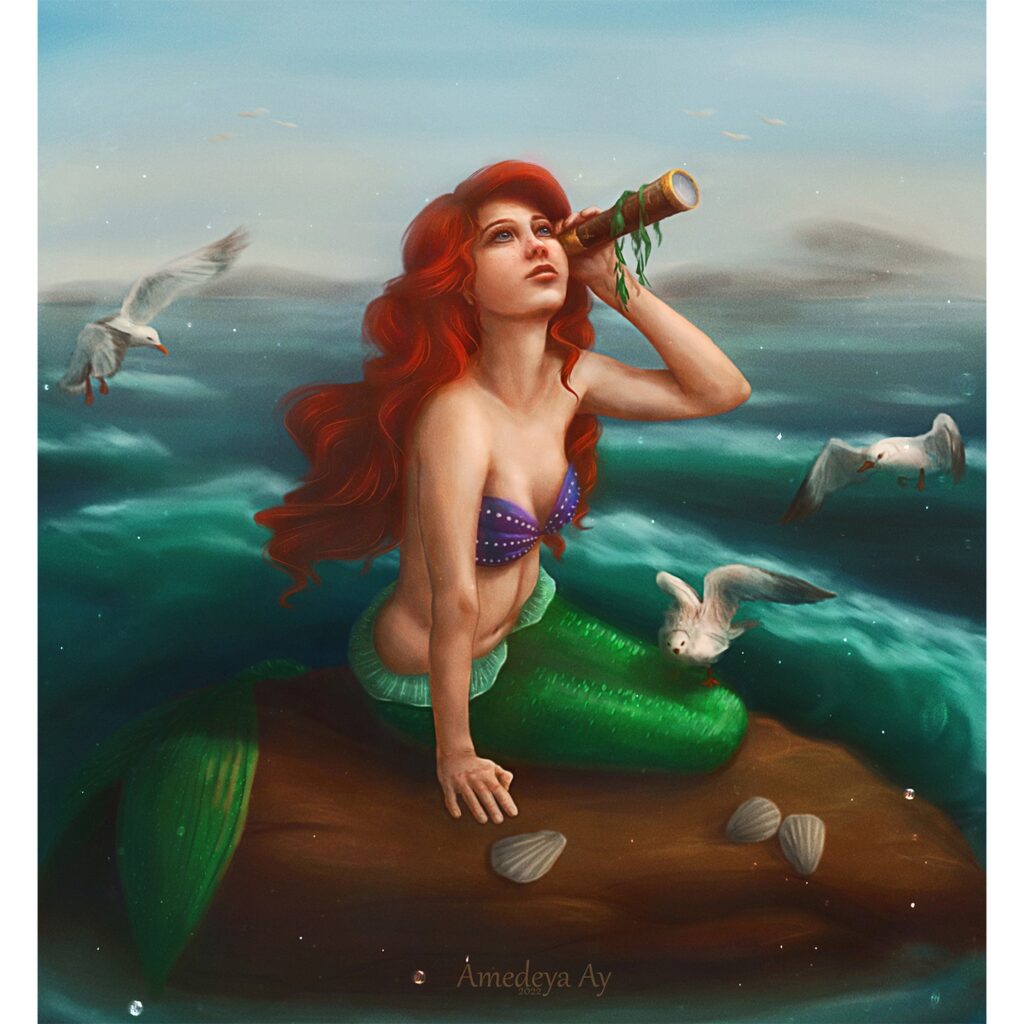
A mermaid sits atop a rock in an expansive ocean, holding a telescope to her eye as she gazes into the distance. Her vibrant red hair contrasts with her shimmering green tail, creating a striking visual against the backdrop of rolling waves and distant horizons. Seagulls flutter nearby, adding life to this enchanting scene. This image evokes themes of curiosity and exploration, as the mermaid appears to be searching for something beyond her immediate surroundings.
5 Fashion Illustration
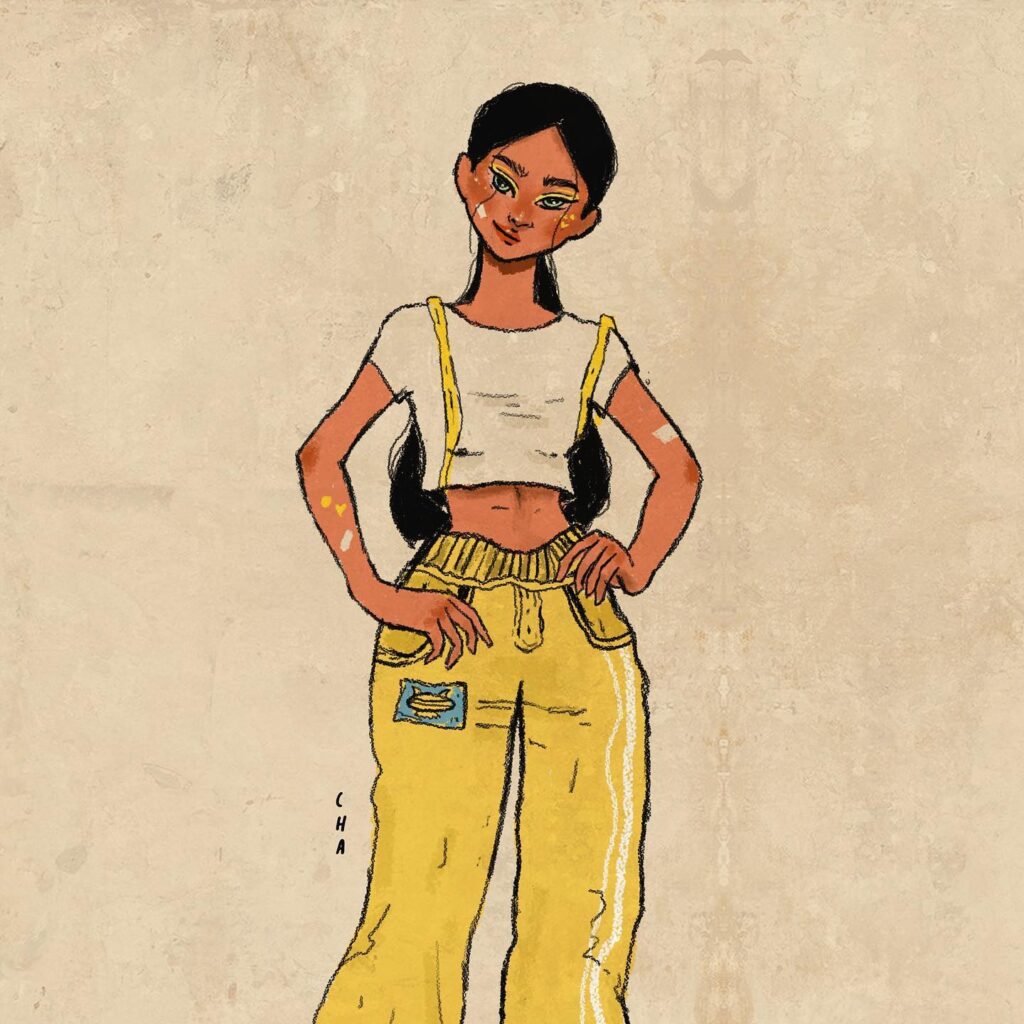
The illustration showcases a character with a confident stance, wearing vibrant yellow pants paired with a white crop top. The design is playful and modern, capturing a youthful and trendy vibe. The use of bold colors and simple lines gives the artwork a fresh and lively feel. The artist’s signature style is evident in the exaggerated proportions and dynamic pose, highlighting the character’s personality. This piece could easily represent a fashion-forward individual ready to make a statement with their unique style.
6 Couple Portrait
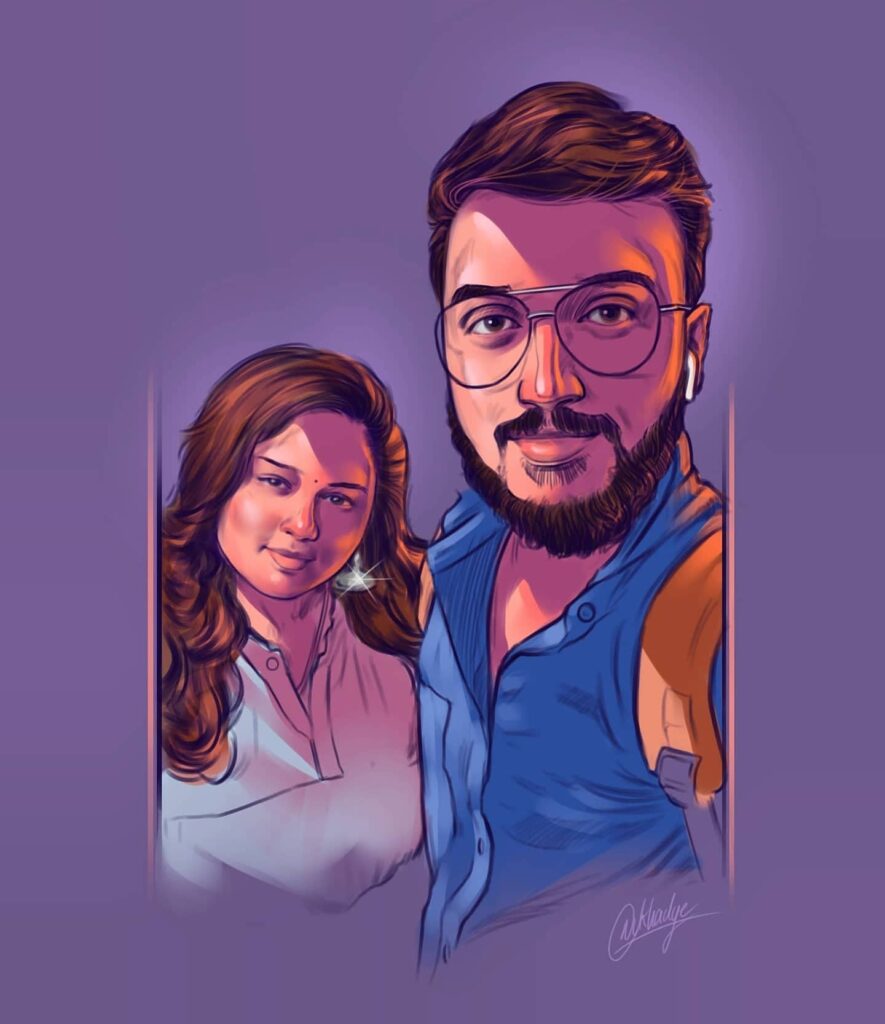
This digital artwork features a couple standing side by side, exuding warmth and companionship. The use of soft colors and smooth shading creates an intimate atmosphere, drawing attention to the couple’s harmonious presence. Their attire is casual yet stylish, reflecting a relaxed and modern aesthetic. The background is subtle, allowing the focus to remain on the subjects. This portrait captures the essence of togetherness and mutual support, making it a touching representation of partnership.
7 Elegant Dress Design
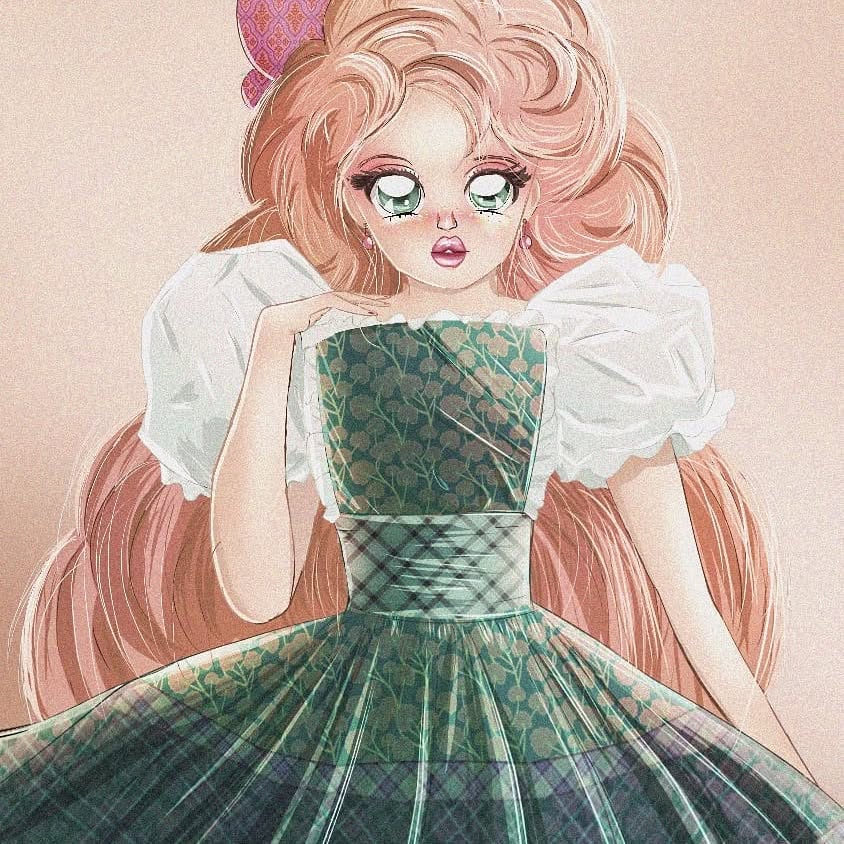
The image depicts an elegant character in a beautifully detailed dress. The dress features intricate patterns with shades of green, complemented by puffed sleeves and a fitted bodice. The character’s long flowing hair adds to the ethereal quality of the illustration. The artist skillfully combines textures and colors to create a sense of depth and movement in the fabric. This artwork embodies grace and sophistication, making it an enchanting portrayal of classic fashion.
8 Mountain Retreat
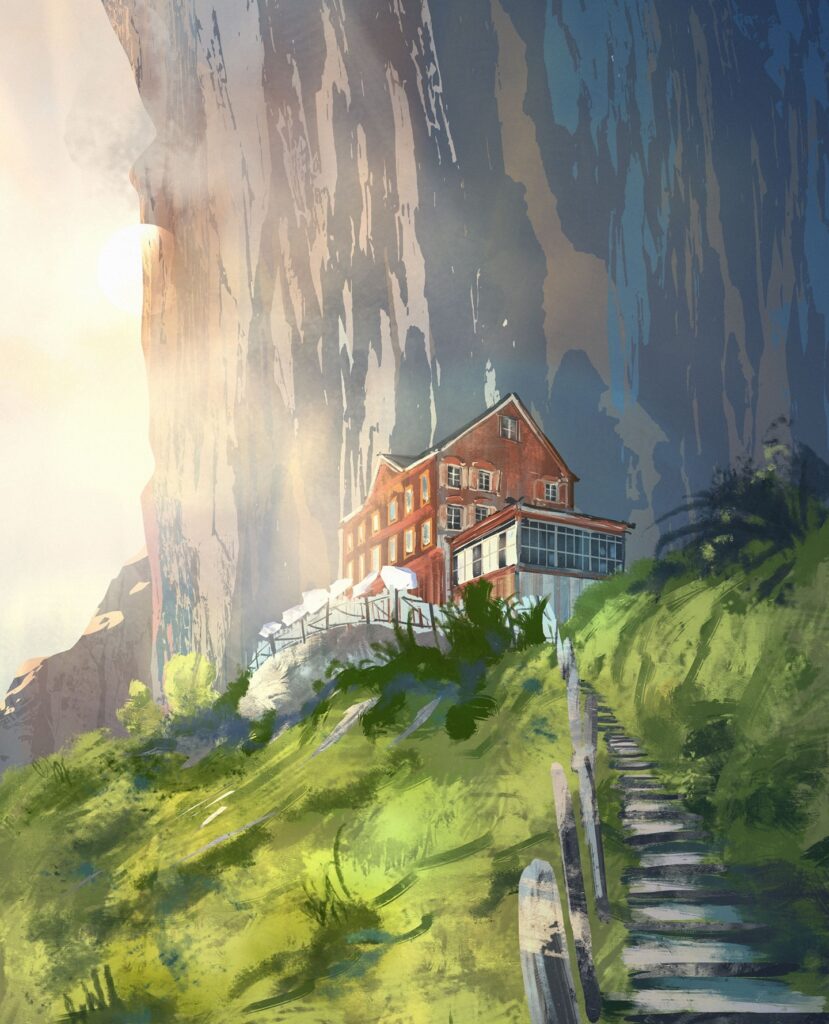
This scenic illustration presents a picturesque house nestled on a mountainside. Surrounded by lush greenery and dramatic cliffs, the setting evokes tranquility and adventure. The warm sunlight bathes the landscape, highlighting the vibrant colors of nature. A winding path leads up to the house, inviting viewers to imagine exploring this serene retreat. The artist captures the grandeur of the natural environment while emphasizing the cozy charm of the dwelling, creating an inviting escape into nature’s beauty
9 Contemplative Figure
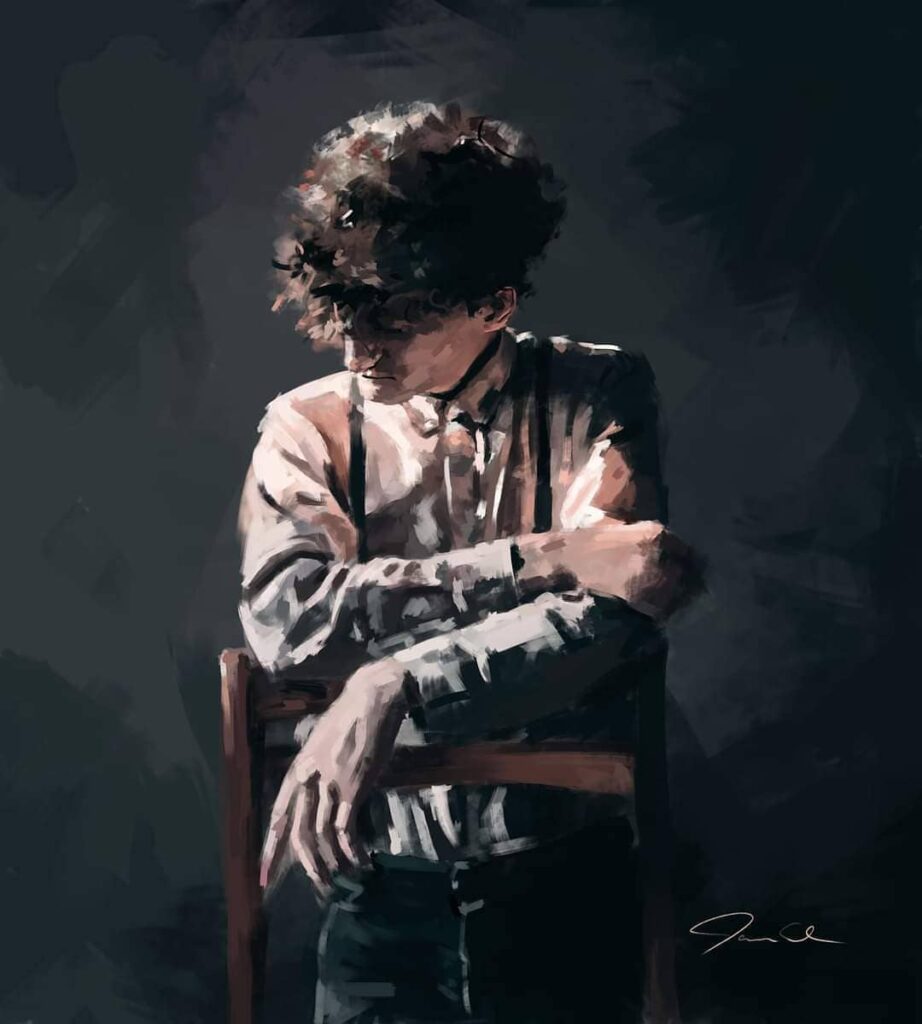
This artwork portrays a person sitting on a chair, with their arms resting on the backrest. The individual is dressed in a light shirt with suspenders, creating a vintage or classic look. The background is dark, which highlights the subject’s posture and attire. The painting style is expressive, with visible brush strokes that add texture and depth to the image. This piece evokes a sense of introspection and calmness, capturing a moment of quiet reflection.
10 Elegant Portrait
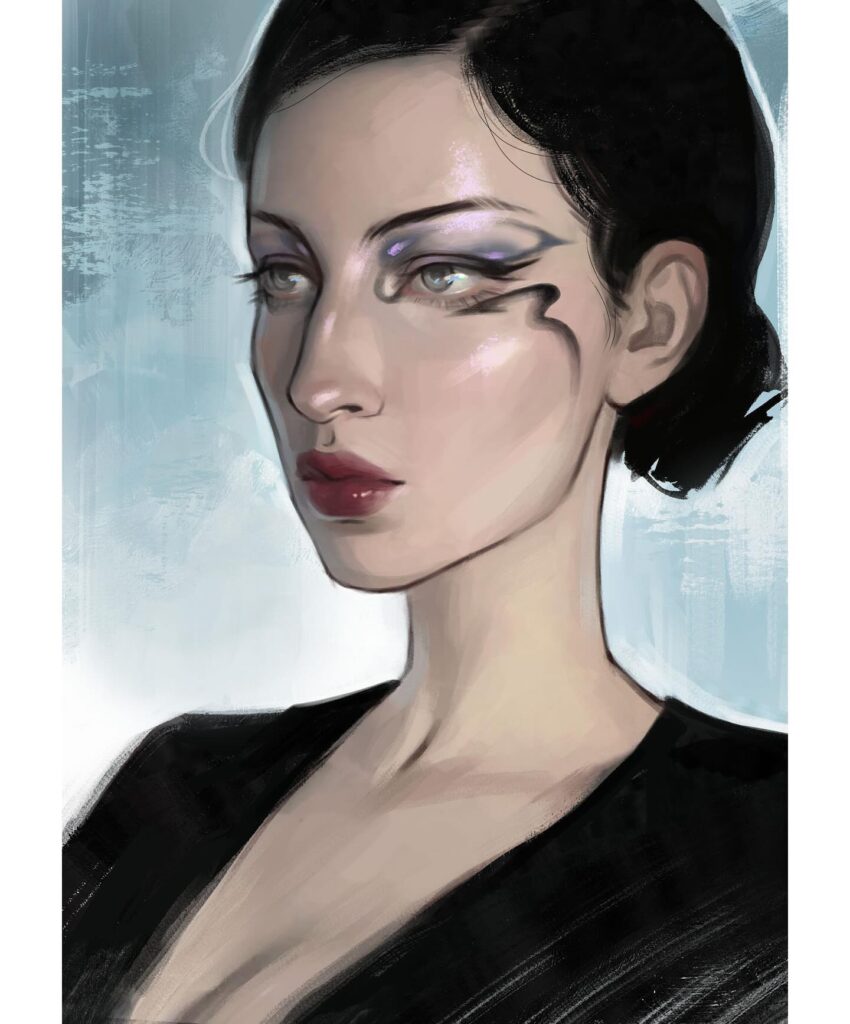
In this elegant portrait, the subject is depicted with a focus on their graceful posture and attire. The individual wears a black garment that contrasts beautifully with the soft, light background. The painting technique emphasizes smooth lines and subtle shading, giving the image a refined and sophisticated appearance. This artwork captures the essence of poise and elegance, inviting viewers to appreciate the simplicity and beauty of the composition.
11 Cozy Reading Nook
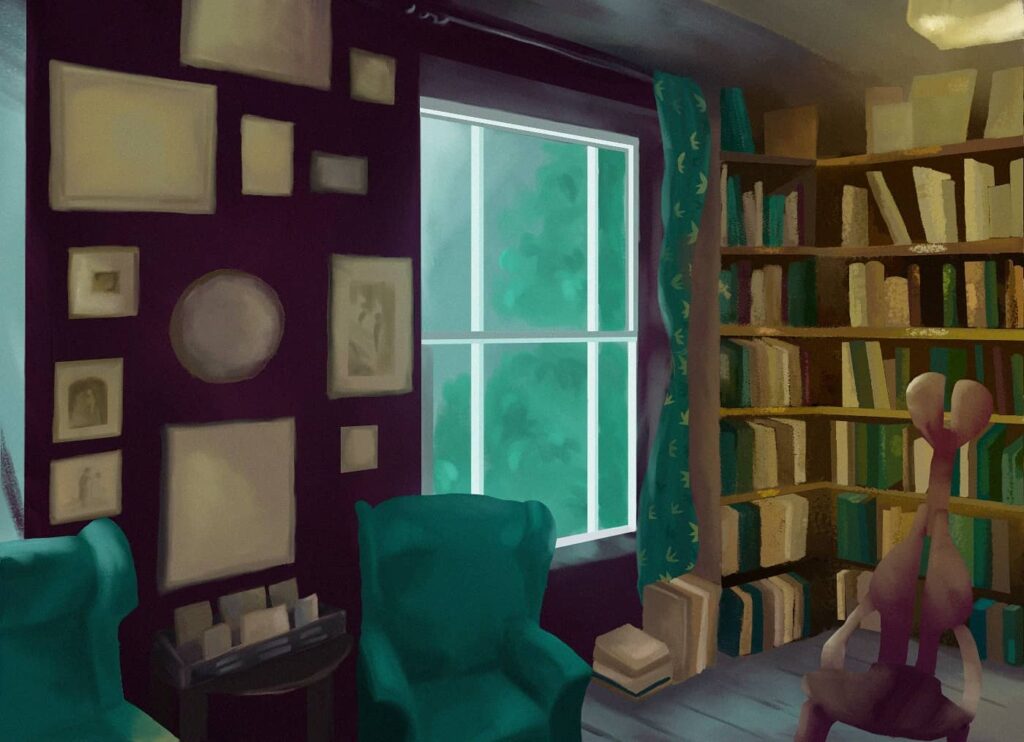
This inviting scene showcases a cozy reading nook filled with bookshelves and comfortable chairs. A large window allows natural light to flood the room, illuminating the rich colors of the curtains and furniture. The walls are adorned with various frames, adding character to the space. The overall ambiance is warm and welcoming, making it an ideal spot for relaxation and reading. This painting captures the charm of a peaceful retreat within a home library.
12 Adorable Bear Character
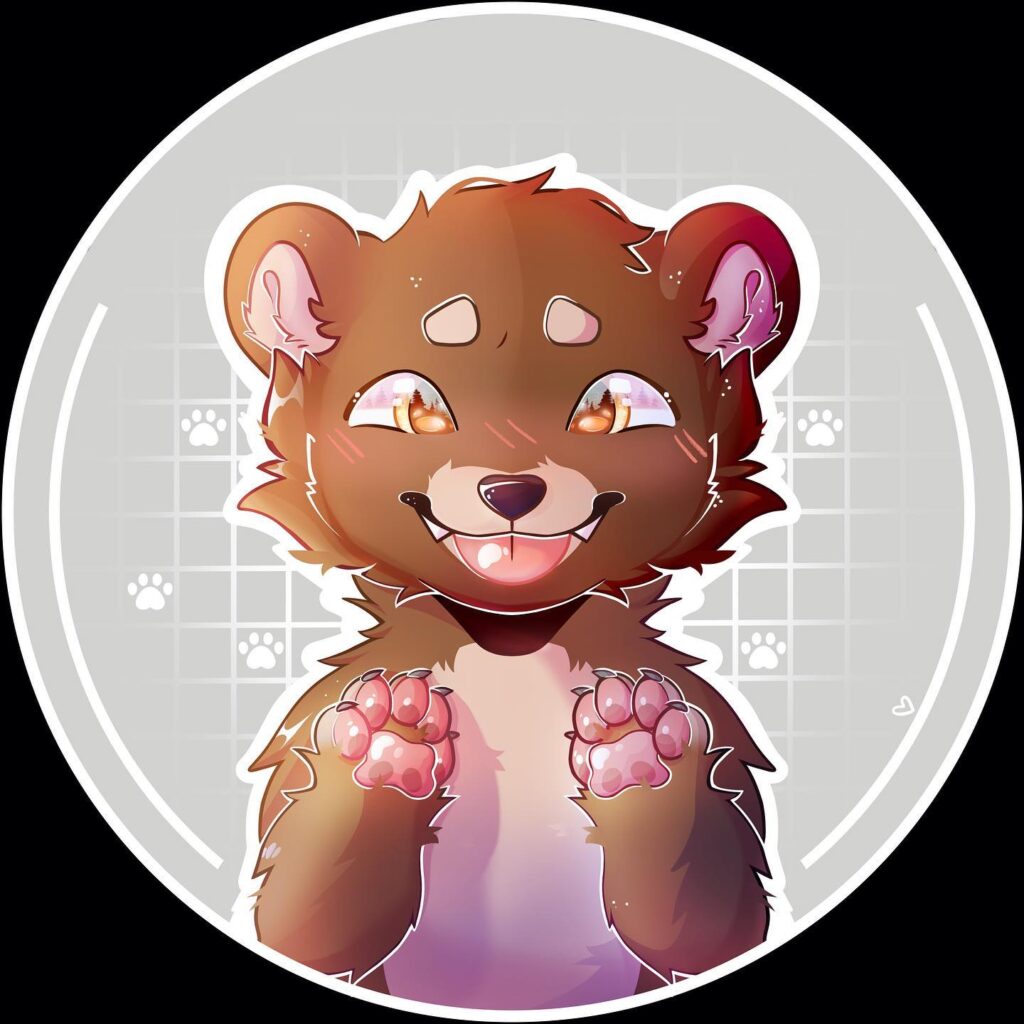
This image features a cute, animated bear character with a joyful expression. The bear is depicted with large, expressive eyes and a playful smile, giving it a friendly and approachable appearance. Its paws are raised, showcasing pink paw pads that add to its charm. The background includes paw prints and a grid pattern, enhancing the playful theme. The illustration style is vibrant and colorful, making it appealing to fans of animated characters or those who enjoy whimsical art.
13 Elephant Exhibit
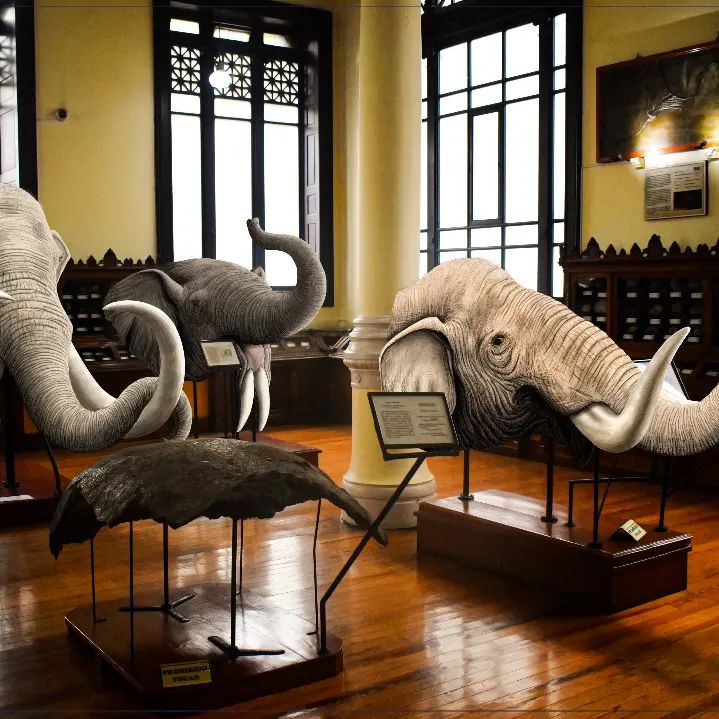
The image captures a museum exhibit displaying various elephant heads and tusks. These realistic models are arranged in a spacious room with wooden floors and large windows, allowing natural light to illuminate the display. Each elephant head is mounted on a stand with informational plaques, suggesting an educational purpose. The exhibit aims to provide visitors with insights into the anatomy and diversity of elephants, offering an engaging experience for those interested in wildlife and conservation.
14 Stargazing Companions
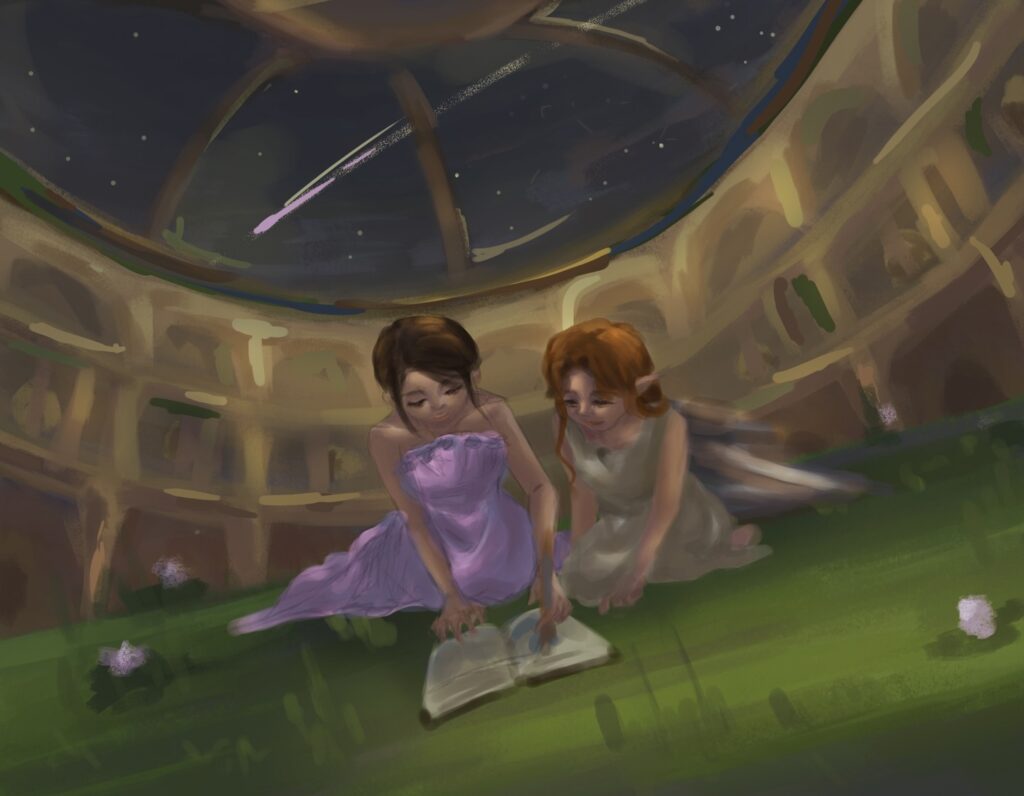
In this enchanting scene, two figures are shown lying on grass under a starry sky, engrossed in a book. They appear to be in a dome-like structure, allowing them to gaze at the stars while enjoying each other’s company. The setting creates a serene and magical atmosphere, enhanced by the presence of shooting stars above. This illustration evokes feelings of wonder and curiosity, capturing the essence of exploration and friendship under the night sky
15 Garden Stroll
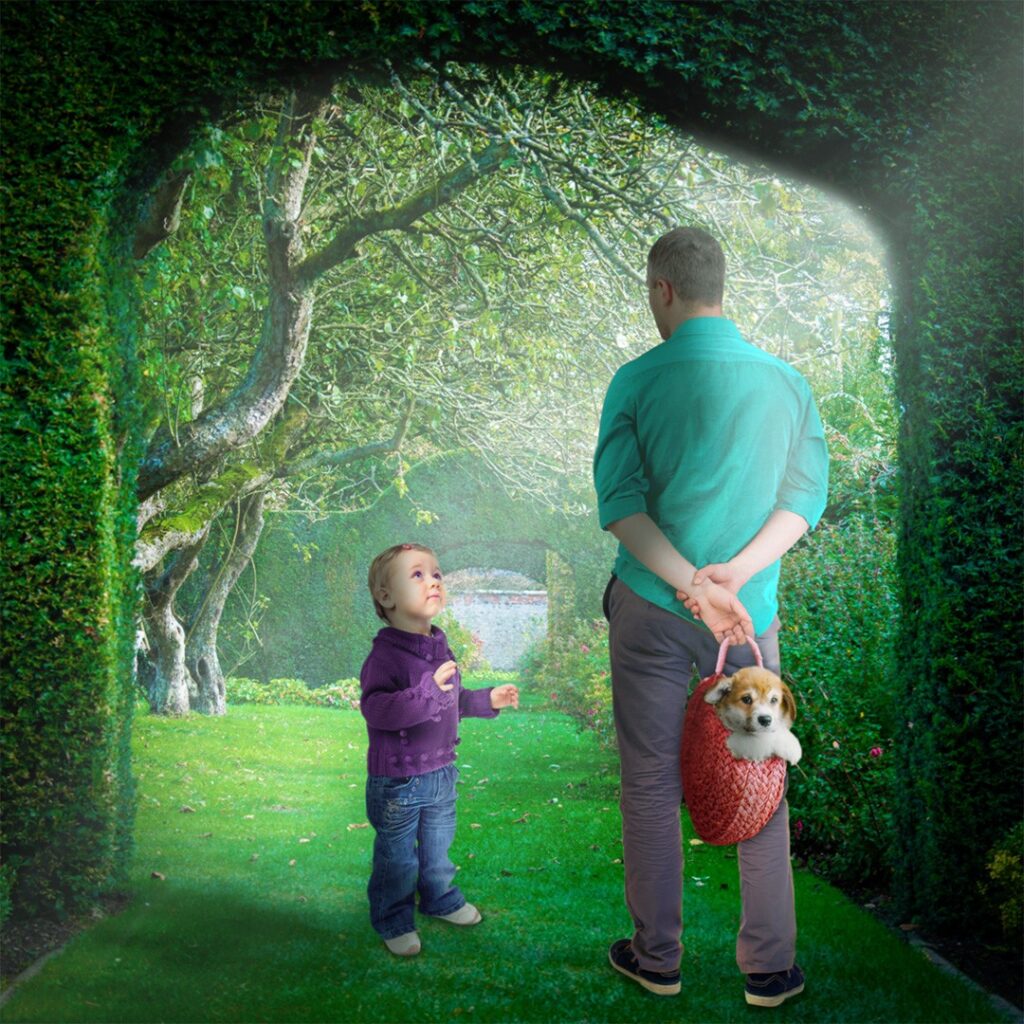
This image depicts a tranquil garden scene where an adult and a child stand together amidst lush greenery. The adult holds a basket containing an adorable puppy, adding a heartwarming element to the picture. Sunlight filters through the trees, casting gentle shadows on the grass. The setting exudes peace and serenity, inviting viewers to imagine leisurely walks and moments of bonding in nature’s embrace. This scene captures the simple joys of spending time outdoors with loved ones.
16 Autumn Portrait

This image captures the essence of autumn with warm, golden hues in the background. The subject is depicted with shoulder-length brown hair and a checkered jacket, embodying a casual yet thoughtful demeanor. The soft lighting and rich colors evoke a sense of nostalgia and tranquility, typical of an autumn afternoon. The blurred face adds an element of mystery, allowing viewers to focus on the overall mood and setting. This artwork beautifully combines elements of nature and fashion, creating a harmonious blend that invites reflection and appreciation for the changing seasons.
17 Contemplative Pose
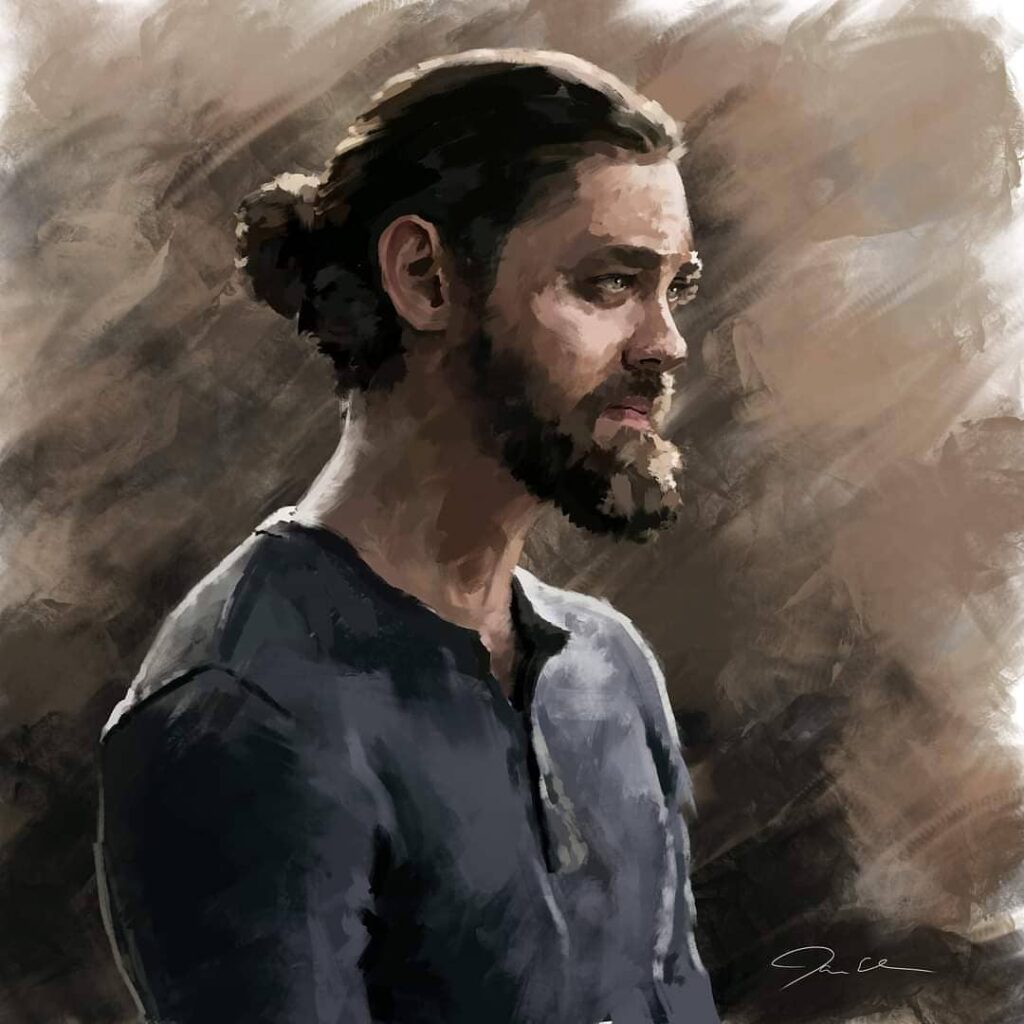
In this artistic portrayal, the subject is shown in a contemplative pose, with hair tied back in a man bun, wearing a simple dark shirt. The background features soft, muted tones that enhance the introspective mood. The painting style is expressive, using broad brushstrokes to convey depth and emotion. This piece captures a moment of quiet reflection, inviting viewers to ponder the thoughts and stories behind the serene exterior. The overall composition emphasizes simplicity and introspection, making it a compelling study of human emotion and presence.
18 Twilight Cityscape
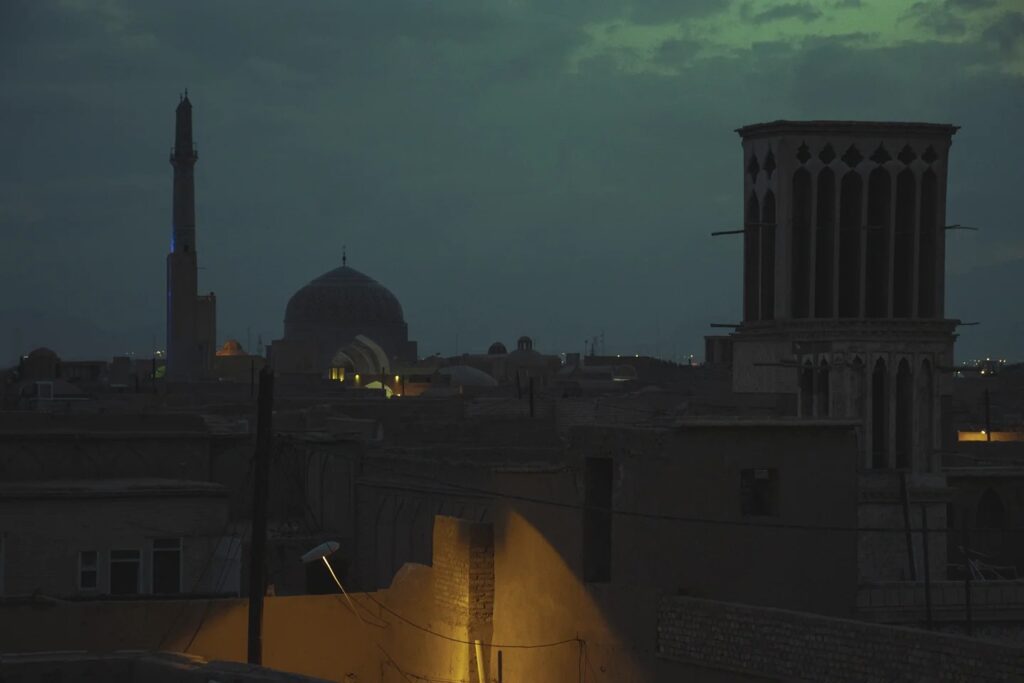
This image depicts a serene cityscape at twilight, showcasing architectural silhouettes against a dusky sky. The scene is dominated by domes and towers, illuminated by subtle lighting that highlights their intricate designs. The atmosphere is calm and mysterious, with hints of light suggesting life within the city. This visual narrative captures the transition from day to night, evoking feelings of wonder and tranquility. The composition balances darkness with illuminated details, creating a captivating view that invites exploration of the city’s hidden stories.
19 Angelic Violinist
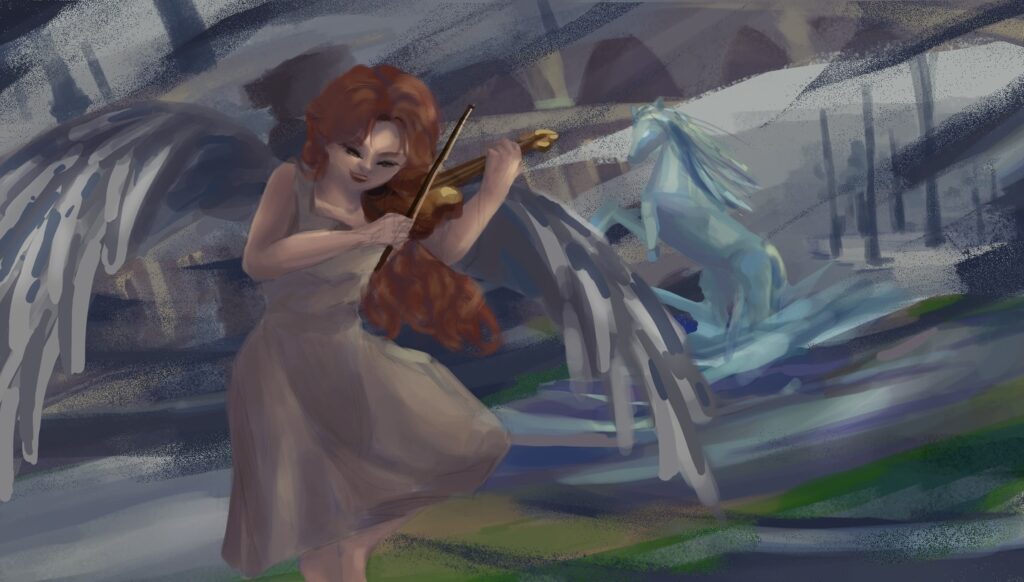
In this imaginative scene, an angelic figure plays the violin amidst ethereal surroundings. The character is adorned with flowing red hair and delicate wings, adding to the celestial theme. A mystical creature appears in the background, enhancing the fantasy element of the artwork. The use of dynamic brushstrokes and vibrant colors creates movement and energy within the scene. This enchanting depiction invites viewers into a world where music and magic intertwine, offering a sense of wonder and escape into a dreamlike realm filled with beauty and imagination.
20 Bridging Two Worlds
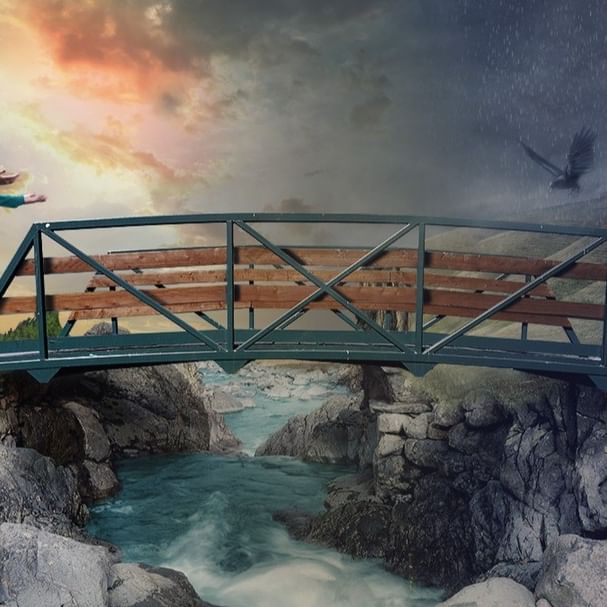
This image beautifully illustrates the concept of bridging two worlds. A sturdy bridge spans a rocky chasm, with a vibrant river flowing beneath. On one side, the sky is painted with warm hues of a setting sun, evoking a sense of peace and hope. The other side contrasts with a stormy sky, suggesting turmoil or challenges. A bird soars in the stormy sky, symbolizing freedom amidst adversity. The bridge serves as a metaphor for transition and connection, linking contrasting environments and emotions. This composition captures the essence of balance between serenity and chaos in nature.
2. Photoshop Techniques Behind These Ideas
Every picture above uses the same small set of Photoshop tools. Learn these five and you can attempt all 20 ideas, even as a beginner.
1
Layers, always. Put the sky on one layer, the land on another, and the person or animal on its own layer. Name each layer as you go, so “moon glow” does not end up buried under twenty layers called “Layer 23”.
2
Soft brush for light, hard brush for edges. A soft round brush at low opacity builds sunsets, moon glow, and mist. Switch to a hard brush for rooftops, hair strands, and the edge of a dress.
3
One light source. Pick where the light comes from before you paint anything else. In idea 2 the moon lights one side of the figure; in idea 1 the sun lights the cave mouth. Every shadow must agree with that choice.
4
Colour with intent. Warm colours pull a subject forward and cool colours push a background back. That is why the warm sunset sits against cool purple rock in idea 1, and why the blue night makes the moon feel bright in idea 2.
5
Finish with a check layer. Add a black-and-white adjustment layer on top and look at the picture without colour. If the subject still reads clearly, your values are right. If it turns to grey mush, fix the light before adding more colour.
Adobe’s own guide to painting with the Brush and Pencil tools in Photoshop explains brush size, opacity, and straight-line strokes, and it is worth reading once before your first painting session. If backgrounds are your weak spot, the room background digital art ideas give you indoor scenes to practise perspective and furniture on.
3. Mistakes That Flatten Digital Art
- Painting everything on one layer, so one fix ruins the whole picture
- Using pure black for shadows instead of a dark blue, purple, or brown
- Lighting the face from one side and the background from another
- Adding detail everywhere, so the eye has nowhere to rest
- Skipping the black-and-white values check before calling a piece done
Watch out: Over-smoothing skin and fur is the most common beginner giveaway. Leave a few rough brush marks in hair, fabric, and rock. Texture is what makes a digital painting feel painted instead of plastic.
For sketch-first practice, the sketches digital art ideas collection is a good warm-up, and the vintage background digital art ideas show how a limited, old-photo palette can carry a whole scene. Seasonal painters can also try the cute Halloween digital art ideas for simple characters with strong silhouettes.
4. Frequently Asked Questions About Photoshop Digital Art
What is Photoshop digital art?
Photoshop digital art is artwork painted or drawn inside Adobe Photoshop using brushes, layers, and colour tools instead of paint on paper. It covers illustrations, portraits, landscapes, character art, and photo-based art, and the finished file can be printed, posted online, or sold as a digital download.
Do I need a drawing tablet for Photoshop digital art?
No, you can start with a mouse, especially for landscapes and gradients. A drawing tablet is worth it once you paint faces, hair, or line work regularly, because pressure sensitivity controls brush size and opacity as you draw, which a mouse cannot do.
Which Photoshop brushes are best for beginners?
Start with three: a soft round brush for skies and glow, a hard round brush for edges and line work, and one textured brush for foliage, fur, or rock. Learn those three well before downloading large brush packs, which mostly slow beginners down.
How do I start my first digital painting in Photoshop?
Open a large canvas, sketch the big shapes on one layer, block in flat colours on a layer below the sketch, then add light and shadow on separate layers. Finish with a black-and-white values check, fix the light, and only then add small details.
Can I sell Photoshop digital art?
Yes. Artists sell prints, wallpapers, stickers, book covers, and commission work made in Photoshop. Keep your layered source file, export finished pieces at high resolution, and only sell artwork made from your own drawings or properly licensed reference photos.
How long does a digital painting take?
A simple landscape or character study can take one to three hours. A detailed portrait or cityscape often takes five to fifteen hours spread over several sessions. Speed comes from practice and from reusing a simple layer setup, not from rushing the painting itself.
Keep going: pick one idea from the list above, paint it today on separate layers, and compare it with the black-and-white values check before you start a second piece. That single habit improves beginners faster than any new brush pack.
If you want a fun Photoshop subject to practise on, try these 39 ghost drawing ideas — several of them are digital illustrations, so they translate directly into Photoshop layers, glow effects, and brush experiments.