Use lights rated CRI 95 or higher, at 5000K for judging prints and paint and 6500K for judging screens. Ordinary household LEDs sit near CRI 80, which renders reds and deep violets inaccurately.
Key takeaways
- Buy CRI 95 or higher for anything where you mix or judge color|Use 5000K (D50) to judge prints and paint, and 6500K (D65) to judge monitors|R9, deep red, is excluded from the headline CRI average, so a good CRI can still render reds badly|Photograph artwork with two matched lights at 45 degrees either side to kill glare and gradients|Never work under one bright lamp in a dark room, and never mix warm and cool bulbs
Short answer: Buy a light with CRI 95 or higher that you can set to 5000K for prints and 6500K for screens. For most artists, the RALENO 13-inch panel at around $60 is the best single desk light, and the NiceVeedi 36W two-pack at around $90 is the best kit for photographing finished artwork without glare.
Disclosure: GS Art Zone is a participant in the Amazon Services LLC Associates Program. If you buy through a link on this page we may earn a small commission at no extra cost to you. It does not change which lights we recommend. Prices were correct at the time of writing.
If you have ever mixed a color that looked perfect at your desk and wrong the next morning by the window, the paint was not the problem. The light was lying to you. This guide fixes that in plain language: what the two numbers on the box really mean, which of six lights fits your desk and your budget, and three setups you can copy tonight without buying anything else first.
In this guide: Pick in 60 seconds · CRI, R9 and kelvin explained · 5000K or 6500K? · Quick comparison · The six lights · Three setups to copy · Four mistakes · FAQs
1. Pick in 60 Seconds: Which Light Is Yours?
Do not start with brands. Start with the job you do most. Find your row below, then jump straight to that review.
- You paint or draw at a desk and mix color: RALENO 13-inch panel. One soft, high-CRI light, set to 5000K, is enough.
- You photograph finished artwork to sell or post: NiceVeedi 36W two-pack. Two matched lights at 45 degrees are what remove glare and uneven brightness.
- You want one good light and a low starting price: NiceVeedi 36W single at around $55. Add the second panel later if you start photographing work.
- You want a comfortable everyday lamp for long sessions: OttLite Creative Curves. Easy on the eyes, but note it does not publish a CRI figure, so do not use it as your only color-judging light.
- You sketch away from a socket: OttLite LED Task Lamp, battery powered with a carrying handle.
- Your desk is tiny or shared: OttLite Slimline CFL, which folds flat when you are done.
Try this before you buy anything: Paint three swatches — a strong red, a deep blue, and a warm yellow — on white paper. Look at them under your current lamp, then carry the paper to a window in soft daylight (not direct sun). If the red looks duller or browner under the lamp, your lamp is hiding color. That is the exact problem a CRI 95+ light solves.
2. CRI, R9 and Kelvin in Plain English
Definition: Art studio lighting is lighting chosen so the colors you see while you work match the colors other people see in daylight. Good studio lighting has a high Color Rendering Index (CRI 95 or higher) and a color temperature you can set to 5000K for prints or 6500K for screens.
CRI, the Color Rendering Index, runs from 0 to 100 and describes how faithfully a light source renders colors compared with a reference light of the same temperature. Ordinary household LEDs often sit around CRI 80. At that level some pigments — reds and deep violets worst of all — simply do not show you what they are.
For any work where color matters, look for CRI 95 or higher. And here is the part that almost nobody mentions:
The general CRI figure is an average of eight pastel test colors, R1 to R8. Deep saturated red, R9, is not included in that average. A lamp can advertise CRI 90 and still render your cadmium red and alizarin crimson badly. If a manufacturer publishes an R9 figure, that tells you they have something to be proud of.
Kelvin (K) is different from CRI. Kelvin tells you whether the light looks warm or cool. CRI tells you whether colors under that light look true. You need both numbers to be right: a warm-looking light can still have a high CRI, and a daylight-looking light can still have a low CRI. Check both numbers on the box or listing before you buy, and be suspicious of any “daylight” lamp that publishes neither.
3. 5000K or 6500K? Pick by What You Are Judging
Color temperature, measured in kelvin, decides whether your light is warm or cool. Two values matter and they are not interchangeable:
- 5000K (D50) is the standard illuminant used for viewing printed material in the graphic arts. Judge prints, paint and paper under this.
- 6500K (D65) is the white point that sRGB and most calibrated monitors are built around. Judge screens under this.
This is why a print can look correct on your monitor and too warm in your hand. You are comparing two things lit to two different standards. If you do both jobs at the same desk, buy a bi-color light and switch it, rather than compromising at 5700K and being slightly wrong at everything.
Compiled by the GS Art Zone editorial team. Reviewed and updated October 2026. Specifications come from manufacturer documentation.
4. Quick Comparison: All Six Lights at a Glance
| Light | CRI | Color temp | Price | Best for |
|---|---|---|---|---|
| NiceVeedi 2-pack 36W | 95+ | 2700–6500K | $90 | Photographing artwork |
| RALENO 13 in panel | >95 | 2500–6500K | $60 | Desk light and video |
| NiceVeedi 36W single | 95+ | 2700–6500K | $55 | One-light starter |
| OttLite Creative Curves | Not published | Daylight LED | $50 | Everyday desk task light |
| OttLite LED Task Lamp | Not published | Daylight LED | $45 | Portable, battery powered |
| OttLite Slimline CFL | Not published | Daylight CFL | $45 | Folding arm, small desks |
Read the CRI column first. The top three lights publish CRI 95 or higher, which is why they are the only ones in this guide we recommend for judging color. The three OttLite lamps are recommended for comfort, portability, and small desks — not as your sole color-checking light.
5. NiceVeedi 36W Bi-Color 2-Pack — Best for Photographing Artwork

Two lights, CRI 95+, adjustable from 2700K to 6500K, on stands that extend to 72 in — for about $90. This is the kit that solves the single hardest problem in reproducing artwork: even illumination with no glare.
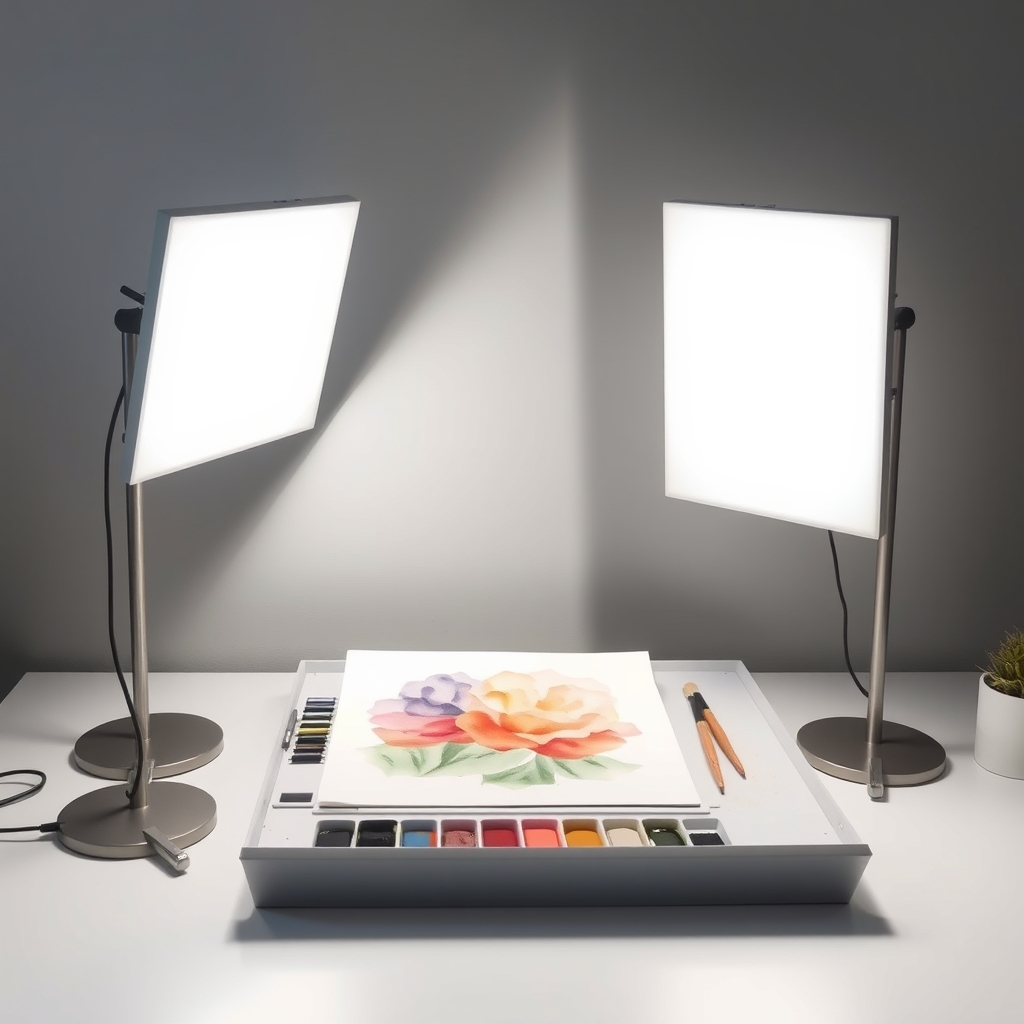
The setup is fixed and worth memorising. Place one light either side of the artwork, each at roughly 45 degrees to the surface, at equal distance and equal power. At that angle the reflection bounces away from the lens instead of into it, so glare disappears, and because the two lights are symmetrical the illumination is even corner to corner. One light alone always leaves a gradient across the piece.
The built-in barndoors matter more than they sound. Closing the flaps stops stray light spilling onto the wall behind and bouncing back as a colored cast.
- Two 36W panels, CRI 95+, 2700–6500K
- Built-in four-leaf barndoors, 90 to 150 degrees
- Stands adjust from 41 in to 72 in, 180 degree tilt
- Infrared remote, 1% brightness steps
- Around $90 for the pair
Who should buy it: Anyone photographing paintings, prints, or drawings to sell online. Who should skip it: Anyone who only sketches at a small desk — two tripod stands will crowd you out, and the single panel below is the better buy.
6. RALENO 13-Inch Panel — Best Desk Light for Color Work

A 13 in soft panel with 192 LEDs, CRI over 95, adjustable 2500K to 6500K, on a small desk stand. At around $60 this is the most sensible single purchase for someone who paints at a desk and cares about mixing color accurately.
Two things make it better than a conventional lamp for this job. It is a broad panel rather than a point source, so the light is soft and does not throw a hard shadow of your own hand across the work. And the LCD shows the actual color temperature, so you can set it to 5000K to check a print and 6500K to check the screen, deliberately rather than by guesswork.
The 8000 mAh battery gives about 90 minutes at full power, which also makes it usable for photographing work away from a socket.
- CRI over 95, 2500–6500K adjustable
- 192 LEDs across a 13 in soft panel, 1 in thick
- Built-in 8000 mAh battery, about 90 minutes at full power
- LCD shows live brightness and color temperature
- Desk stand plus standard 1/4 in thread for tripods
Who should buy it: Painters, watercolor artists, and anyone mixing color at a desk. Try this tonight: Set it to 5000K, put it on the side opposite your painting hand so your hand does not shade the paper, and dim it until the white paper looks bright but not glaring. Mix your next color under that light only, then check it again in the morning — it should match.
7. NiceVeedi 36W Single — Best One-Light Starter

The same panel as the two-pack, sold singly at around $55. Common sense applies here: if you intend to photograph finished work, buy the pair, because the second light is what removes the gradient. If you want one adjustable, high-CRI light to work under and will photograph by a window, this is enough.
- 36W, 360 LEDs, 3000 lumens at full power
- CRI 95+, 2700–6500K, 0–100% dimming
- Built-in four-leaf barndoor
- Aluminium stand from 41 in to 72 in
Who should buy it: Beginners who want proper color light without spending $90 up front. Upgrade path: Buy a second identical panel later rather than a different brand — matched lights at equal power are what keep photographs even.
8. OttLite Creative Curves — Best Everyday Task Lamp

OttLite has been making daylight-balanced task lighting since 1989 and the brand is a fixture in craft rooms for good reason: the light is bright, low-glare and comfortable to sit under for hours. The Creative Curves has a 20 in flexible neck and four brightness levels on touch control.
One honest caveat. OttLite markets on “natural daylight” rather than publishing a CRI figure, so you cannot compare it numerically against a CRI 95 panel. Treat it as an excellent lamp to work under, and use a light with a published CRI when you are judging color for print.
Who should buy it: Sketchers, crafters, and students who work for hours and want comfortable, adjustable light. Pair it with: A CRI 95+ panel for the final color check before a painting leaves your desk.
9. OttLite LED Task Lamp — Best Portable Pick

Battery powered, 10 in tall, with a carrying handle and 30 daylight LEDs rated for 40,000 hours. This is for sketching in the evening, working somewhere without a socket, or taking to a life drawing class or craft fair. It is not a color-critical light and is not sold as one.
Who should buy it: Anyone who draws outside the studio. Honest limit: Do not judge final print colors under this lamp alone — do that final check under a CRI 95+ light at home.
10. OttLite Slimline CFL — Best for Very Small Desks

The appeal here is entirely mechanical. The articulating arm adjusts between 14.75 in and 19.75 in and folds flat against itself when you are not using it, which on a small or shared desk is worth more than any specification. The rotating shade keeps glare off the page.
It uses a replaceable 13W CFL tube rather than LEDs. Bulbs are still easy to find, but factor in that you will replace them eventually where an LED lamp you would not.
Who should buy it: Small-desk and shared-desk artists who need the lamp to disappear when they are done. Watch out: CFL tubes age and shift color over time, so replace the tube when colors start looking yellow or dull.
11. Copy This: Three Lighting Setups That Work Tonight
You do not need a studio. You need the right light, in the right place, with nothing else fighting it. Here are three setups readers actually copy, step by step.
Setup A — Desk painting (RALENO panel). Best if you paint or mix color at a desk.
- Put the panel on the side opposite your painting hand, about 18 to 24 inches from the paper, angled down toward the work.
- Set it to 5000K and dim it until white paper looks bright but not glaring. If you squint, it is too bright.
- Turn off any warm ceiling bulb over the desk, or match it to the same temperature. Mixed whites are the most common reason colors look wrong.
- Paint a test strip of your key colors, let it dry, and check it under the same light before you judge it. Judge wet paint and dry paint under the same light, every time.
Setup B — Photographing finished artwork (NiceVeedi two-pack). Best if you sell prints or post artwork online.
- Hang or prop the artwork flat on a neutral wall. Turn off room lights and close curtains so no window light competes.
- Place one light on each side, at about 45 degrees to the artwork, at equal distance and equal power. Set both to 5000K.
- Close the barndoors partway so light does not spill onto the wall behind the artwork.
- Take a test photo and zoom in on all four corners. If one corner is darker, move that side’s light a little closer or turn it up one step until the corners match.
- Photograph a plain white sheet first. If the sheet looks yellow or blue in the photo, your white balance or light temperature is off — fix the light, not the photo afterward.
Setup C — Small desk or evening sketching (OttLite lamp). Best if space is tight or you work at night.
- Fold or bend the arm so the light falls on the page, not into your eyes. The shade should block the bulb from your direct view.
- Put a plain white or light-grey sheet behind the page if your desk or wall is strongly colored. A red or blue wall will tint everything it reflects onto.
- Keep the room light on low instead of working in a dark room with one bright pool of light. Your eyes will tire far less.
- Do your final color check the next day under a CRI 95+ light or soft daylight. Evening sketching is for drawing; final color decisions belong under proper light.
One rule for all three setups: Never judge color with two different whites lighting the same page. One warm bulb plus one cool panel is enough to make a good painting look wrong.
12. Four Mistakes That Ruin Studio Lighting
- One bright lamp in a dark room. The contrast between a brilliant pool of light and a dim room is exhausting to work under. Light the room to a reasonable level as well as the desk.
- Mixing color temperatures. A warm ceiling bulb plus a cool desk lamp means every surface is lit by two different whites and nothing looks like itself. Match them.
- Ignoring flicker. Inexpensive LED drivers pulse rapidly. You do not consciously see it, but it contributes to eye strain and it will show as banding if you film your process.
- Letting colored walls bounce. A strong wall color reflects onto your work and tints everything. Neutral grey or white walls near the easel are worth the repaint.
13. What to Read Next: The Rest of Your Studio Chain
Accurate light only pays off if the rest of the chain is honest too. Judging a print means having a printer worth judging, covered in the best printers for selling art prints. Reproducing originals is in scanners for artwork, screen color is in the drawing tablet comparison, and where all of it sits is setting up a small home art studio.
- Best watercolor paint sets for beginners — because good light exposes weak paint, and pigment codes matter more once you can actually see them.
- Art supplies guide — where lighting falls in the buying order, so you do not buy a lamp before the basics.
- Best sketchbooks for beginners — paper that holds up under bright light without glare or bleed-through.
- Best watercolor brushes for beginners — the brushes to pair with a color-accurate desk setup.
- Best erasers for drawing — small tool, big difference when you are correcting work under a bright lamp.
- Best gifts for artists under $50 — if this guide helped you pick a light, these are the companion gifts at the same budget.
14. Frequently Asked Questions
What CRI do I need for an art studio?
CRI 95 or above wherever you mix or judge color. Ordinary household LEDs are often around CRI 80, which is enough to see by and not enough to trust. If a light does not publish a CRI figure at all, assume it was not designed for color-critical work.
Should studio lighting be 5000K or 6500K?
5000K, known as D50, is the standard for viewing printed material and is what to judge paint and prints under. 6500K, D65, matches the white point most calibrated monitors use, so judge screens under that. A bi-color light lets you switch between the two rather than compromising.
What is R9 and why does it matter?
R9 is the test score for deep saturated red, and it is deliberately excluded from the headline CRI average, which covers only the eight pastel samples R1 to R8. A light can therefore claim a good CRI while rendering strong reds poorly, which matters a great deal if you paint with them.
How do I light artwork for photographing it?
Two matched lights, one either side, each at about 45 degrees to the surface, equal distance and equal power. That angle sends reflections away from the lens rather than into it, and the symmetry keeps brightness even across the whole piece. A single light always leaves one side darker.
Is north-facing window light really best?
In the northern hemisphere, yes, and the reason is consistency rather than quality — a north window never receives direct sun, so its light stays relatively stable in color and intensity through the day. In the southern hemisphere the same logic applies to a south-facing window.
Do I need daylight bulbs if I already work near a window?
Yes, for the hours when the window is not helping. Daylight shifts dramatically from morning to evening and disappears entirely in winter afternoons. A consistent high-CRI light means the color decisions you make at 9pm match the ones you made at noon.
How bright should an art studio light be, and how far away should it sit?
Bright enough that white paper looks clearly bright without making you squint — there is no single lumen number that fits every desk, because distance changes everything. As a practical starting point, put a desk panel 18 to 24 inches from the paper and dim it until the page is evenly bright with no hot spot. If you move the light twice as far away, you need roughly four times the output for the same brightness, so keep desk lights close and photo lights at equal distances on both sides.
Can I use a normal LED bulb from the hardware store?
You can use it to see by, but not to trust color by. Most household bulbs are around CRI 80, do not publish an R9 score, and are fixed at one warm temperature. They are fine for lighting the room. Keep a CRI 95+ light for the desk itself, where color decisions are made.
Do I need two lights, or is one enough?
One light is enough for painting and drawing at a desk. Two lights are needed for photographing artwork, because one light always leaves a brightness gradient across the piece. If you only buy one light now, buy one you can match later — the same model, not a different brand — so the pair stays even.
15. Good Light Only Helps If the Paint Is Honest
High-CRI light shows you the color that is really on the paper, which is exactly why it exposes weak paint. A convenience color built from three or four pigments looks acceptable under a warm bulb and reads as grey sludge under daylight-balanced light, because now you can finally see what you mixed. Reading pigment codes on a paint set explains how to avoid that combination in the first place. Our art supplies guide shows where lighting falls in the buying order.
16. References and Further Reading
- Color rendering index, Wikipedia
- Standard illuminant (D50 and D65), Wikipedia
- Color temperature, Wikipedia
- Flicker (light), Wikipedia