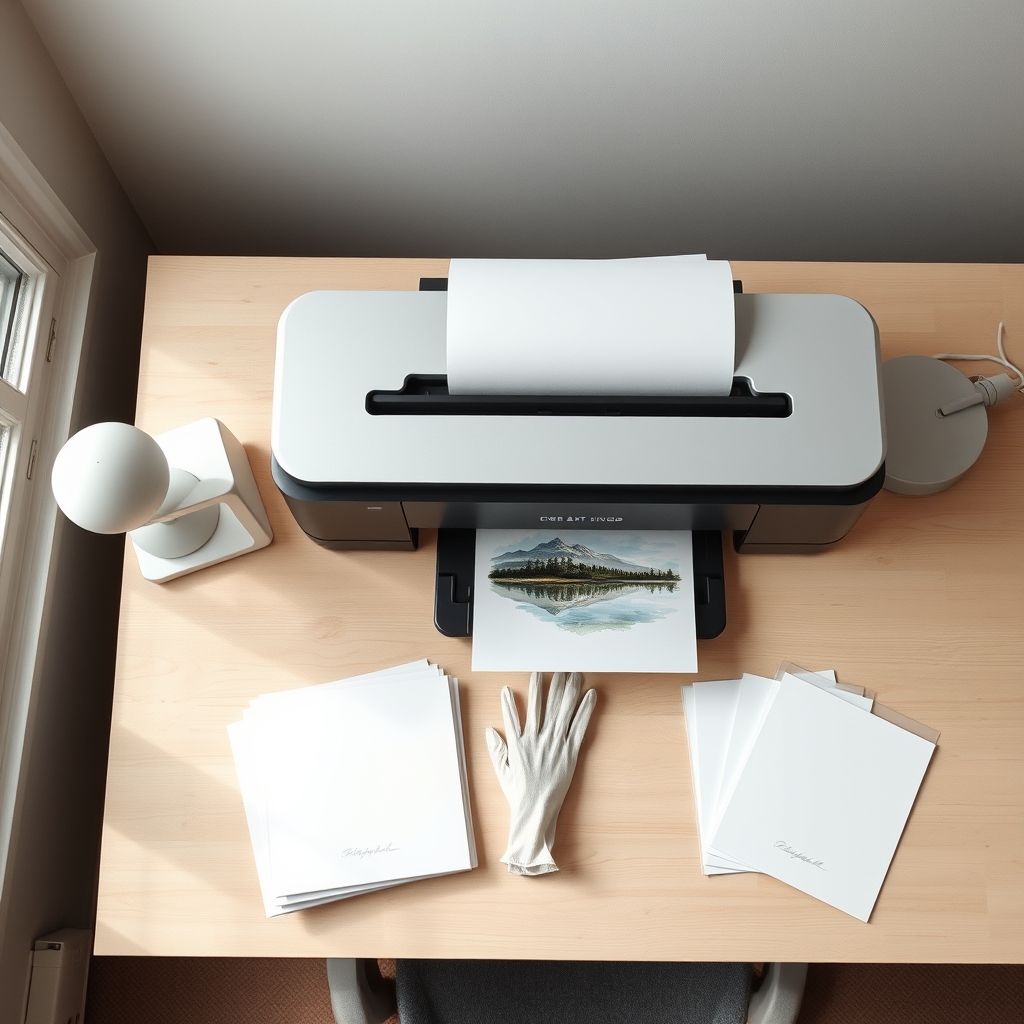
Selling art prints means pigment ink, not dye. Pigment particles sit on the paper surface and resist fading for decades, while dye soaks into the coating and shifts far sooner. Pair it with acid-free 100% cotton paper.
Key takeaways
- Pigment ink for anything you sell; dye ink is fine for cards, stickers and proofs|The Epson SureColor P700 is the best all-round choice at around $699 for 13 x 19 inch prints|Choose 17 inch only if you sell at 16 x 20 inches, since 13 inch tops out at 11 x 14|Paper decides longevity too: 100% cotton, acid free, ideally without optical brighteners|Giclee is a marketing term with no standard behind it, so judge the ink and paper instead
Disclosure: GS Art Zone is a participant in the Amazon Services LLC Associates Program. If you buy through a link on this page we may earn a small commission at no extra cost to you. It does not change which printer we recommend. Prices shown were correct at the time of writing and change often, so check the live price before ordering.
There is exactly one specification that decides whether the prints you sell are still worth owning in ten years, and most printer listings bury it. Pigment ink or dye ink. Everything else — resolution, speed, number of colors, wireless features — matters far less than this single choice.
Dye ink is a colorant dissolved in liquid. It soaks into the paper coating, which is why dye prints look so vivid on glossy paper straight out of the tray. It is also why they shift and fade comparatively quickly, and why humidity and airborne ozone affect them.
Pigment ink is made of solid colorant particles suspended in liquid. They sit on or just below the paper surface rather than dissolving into it. That makes pigment prints substantially more lightfast and water resistant, and it is why every fine art print studio in the world uses pigment.
If you are selling, you need pigment. If you are printing greeting cards, practice pieces and things for your own wall, dye is cheaper and looks great. That one sentence sorts the seven printers below into two groups.
Compiled by the GS Art Zone editorial team. Last updated August 2026. Specifications are taken from manufacturer documentation; permanence claims are attributed rather than asserted.
Quick Comparison
| Printer | Ink | Max width | Approx. price | Best for |
|---|---|---|---|---|
| Epson SureColor P700 | Pigment | 13 in | $699 | Selling prints, overall pick |
| Canon imagePROGRAF PRO-1100 | Pigment | 17 in | $1,299 | Gallery sizes, widest gamut |
| Epson SureColor P900 | Pigment | 17 in | Check live | 17 in Epson alternative |
| Epson EcoTank ET-8550 | Dye | 13 in | $650 | Volume, lowest running cost |
| Canon PIXMA PRO-200S | Dye | 13 in | $550 | Vivid glossy work, speed |
| Epson XP-8800 | Dye | 8.5 in | $330 | Cards, small prints, scanning |
| Canon PIXMA G620 | Dye | 8.5 in | $300 | Cheapest per print |
1. Epson SureColor P700 — Best Printer for Selling Art Prints
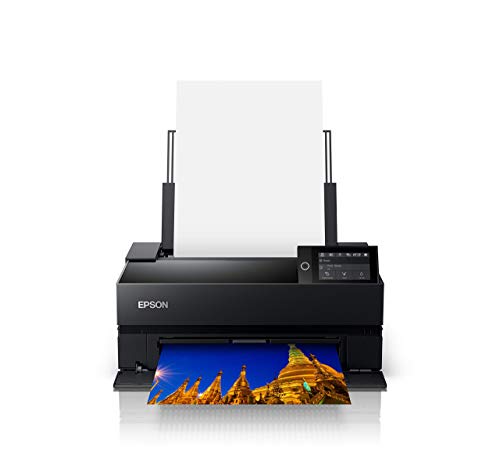
This is the printer most people selling prints from home should buy. It runs Epson’s UltraChrome PRO10 pigment set — ten channels including a Violet that meaningfully widens the blue and purple range, which is exactly where watercolor and gouache work usually falls apart in reproduction.
The detail that saves real money is that it carries both Photo Black and Matte Black on dedicated nozzles. Cheaper pigment printers make you switch between the two whenever you move from glossy to cotton rag, and every switch flushes ink. If you print originals on matte cotton one day and glossy the next, that alone pays for the difference.
- Prints up to 13 in wide, so 13 × 19 in (A3+) borderless
- UltraChrome PRO10 pigment, 10 channels with Violet
- No black ink switching between glossy and matte
- Handles roll media and sheets up to 1.5 mm thick
- Carbon Black driver mode for deeper blacks on gloss
Buy it if you sell or intend to sell. Skip it if everything you print is 8 × 10 in or smaller and stays in your own house.
2. Canon imagePROGRAF PRO-1100 — Best for Gallery-Size Prints

Eleven pigment inks plus a Chroma Optimizer, printing up to 17 in wide. The Chroma Optimizer is a clear coat laid over the print, and it solves the two problems that give away a home-made pigment print on glossy paper: uneven gloss between dark and light areas, and bronzing, where dark tones take on a metallic sheen at an angle.
Seventeen inches matters more than it sounds. It lets you print 16 × 20 in, a standard frame size, with a proper white border. On a 13 in printer the largest standard framed size you can produce with a border is 11 × 14 in.
- 11 LUCIA PRO II pigment inks plus Chroma Optimizer
- Prints up to 17 in wide, so 17 × 22 in borderless
- Anti-clogging FINE printhead and air feeding system
- Professional Print & Layout software with ICC soft proofing
- Color calibration and media configuration tools built in
Buy it if your work sells at 16 × 20 in and above, or you print for other artists. Skip it if you are still testing whether prints sell at all — start on the P700 and upgrade when demand proves itself.
3. Epson SureColor P900 — The 17-Inch Epson Alternative
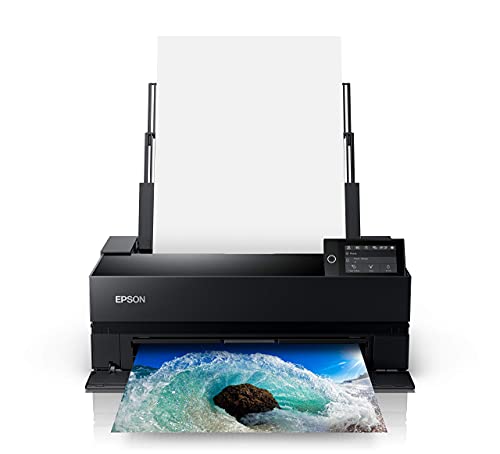
The P900 is the P700 scaled up to 17 in. Same UltraChrome PRO10 ink, same dual black channels with no switching, same 10-channel printhead, wider carriage. If you already know you want the Epson color response and you need 17 × 22 in, this is the straightforward answer.
Choosing between this and the Canon PRO-1100 comes down to ink philosophy more than quality. Epson’s ten-ink set with Violet tends to favor blues and violets; Canon’s eleven-ink set with Chroma Optimizer tends to favor gloss uniformity and deep neutral blacks. Both are genuinely archival. Pick based on which of your own work you print most.
- Prints up to 17 in wide, 17 × 22 in borderless
- UltraChrome PRO10 pigment with Violet channel
- Dedicated nozzles for Photo and Matte Black
- Roll media support and thick sheet handling
- 4.3 in color touchscreen, USB, Ethernet and Wi-Fi
4. Epson EcoTank ET-8550 — Lowest Running Cost at A3+

This is the volume machine. It is a refillable tank printer with six Claria ET Premium inks, printing borderless up to 13 × 19 in, and it includes a flatbed scanner. Epson’s own figure is roughly 4 cents per 4 × 6 in photo against about 40 cents with cartridges, and up to 6,200 color pages per ink set.
Be clear about what you are buying. These are dye inks, not pigment. For stickers, greeting cards, packaging inserts, craft fair samples and high-volume small prints, the economics are excellent. For a signed print someone hangs in a sunlit room and expects to keep, this is the wrong tool.
- Refillable tanks, no cartridges
- 6-color Claria ET Premium dye ink
- Borderless up to 13 × 19 in, plus cardstock and CD printing
- Built-in scanner and copier, auto 2-sided printing
- Epson claims about 2 years of ink in the box
5. Canon PIXMA PRO-200S — Best Dye Printer for Vivid Work

Eight dye inks, 13 in wide, and genuinely fast — Canon quotes a bordered A3+ print in about 90 seconds. On glossy paper, dye still produces a saturation and depth that pigment has to work hard to match, which is why this printer keeps a following among artists whose work is highly colored.
The honest use case is proofing and volume. If you print a lot of test copies before committing to a final pigment run, doing that here is faster and cheaper. Some artists run both: a PRO-200S for proofs and cards, a P700 for anything that gets signed.
- 8-color dye-based ink system
- Borderless from 3.5 × 3.5 in up to 13 × 19 in
- Bordered A3+ in about 90 seconds, 8 × 10 in in about 53 seconds
- 3.0 in color LCD for ink levels and status
6. Epson Expression Photo XP-8800 — Best Small Starter

Six-color Claria Photo HD dye ink, borderless up to 8.5 × 11 in, with a flatbed scanner built in. This is the sensible first printer for someone who mostly makes cards, small prints and bookmarks, and who also needs to scan originals occasionally.
The separate paper trays are worth more than the spec sheet suggests. Plain paper stays loaded in one tray and photo paper in the other, with a rear feed for heavy specialty stock, so you are not reloading between every job.
- 6-color Claria Photo HD dye ink
- Borderless prints up to 8.5 × 11 in
- 4 × 6 in borderless photo in as fast as 10 seconds
- Separate plain and photo trays plus rear specialty feed
- 4.3 in touchscreen, built-in flatbed scanner and copier
7. Canon PIXMA G620 — Cheapest Cost Per Print

A six-ink MegaTank machine including Red and Gray, which is unusual at this price and helps noticeably with skin tones and with black and white work. Canon quotes roughly 2.5 cents per 4 × 6 in color photo and up to 3,800 photos on a full ink set.
Letter size only, and dye ink. Think of it as the workhorse for everything that is not a sold print: proofs, reference sheets, thank-you cards in an order, printable products, stickers.
- 6-color dye MegaTank system with Red and Gray inks
- Approximately 2.5 cents per 4 × 6 in photo, per Canon
- Up to 3,800 4 × 6 in photos per full ink set
- Print, copy and scan in a compact body
The Paper Matters as Much as the Printer
A pigment printer loaded with cheap paper produces a print that fails at the paper, not the ink. Three things to look for, in order:
- 100% cotton rag. Wood pulp paper contains lignin, which yellows. Cotton does not.
- Acid free. Residual acid attacks the sheet from inside over years.
- No optical brighteners where possible. OBAs are fluorescent additives that make paper look whiter under UV. They fade at their own rate, so the paper’s white point drifts while the image stays put.

Hahnemühle 100% Rag, 308 gsm, 8.5 × 11 in. Smooth matte, bright white, acid free, dye and pigment compatible. This is the standard sheet a lot of print studios reach for first, and the one to test your color profile against. Around $62 for 25 sheets at the time of writing.

Hahnemühle Platinum Rag, 300 gsm, 8 × 10 in. A cheaper way to run tests before you commit a full sheet. 100% cotton, subtle texture, natural bright white. Around $39 for 25 sheets. Buy this to calibrate, then move up to the larger sheets for anything you sell.
What Size Should You Actually Print?
Print to standard frame sizes, not to whatever your paper happens to be. A buyer who has to order a custom frame usually does not order at all. The common retail sizes are 8 × 10 in, 11 × 14 in, 16 × 20 in and 18 × 24 in.
This is where printer width quietly decides your product line. A 13 in printer gives you 13 × 19 in sheets, which trim comfortably to an 11 × 14 in image with a white border. A 17 in printer gives you 17 × 22 in sheets, which trim to 16 × 20 in with a border. If 16 × 20 in is the size your work sells at, a 13 in printer will frustrate you within a month.
Roughly What Does a Print Cost to Make?
For an A3+ pigment print on 100% cotton paper, budget somewhere in the region of $3 to $6 in paper and ink combined, depending on how much coverage the image has. A dense, dark, edge-to-edge painting uses considerably more ink than a light watercolor with white space.
A widely used starting point for open edition prints is to price at three to five times your material cost, then adjust for what your market actually pays. Signed and numbered limited editions carry more. Whatever you land on, work it out before you buy the printer, because that number tells you how many prints you need to sell to cover the machine.
What Else You Need
A printer is one part of a working setup. If you are reproducing physical originals rather than digital files, the scanner is arguably the more important purchase — see our guide to the best scanners for artwork and watercolor paintings. Accurate color also depends on what you see while editing, which is covered in art studio lighting, and on where all of it lives, in setting up a small home art studio.
If your originals are digital to begin with, the drawing tablet comparison covers the other end of the same workflow. And for the work itself, our watercolor ideas library is where most readers start.
Frequently Asked Questions
Do I need a pigment printer to sell art prints?
If you are selling prints as archival or signed work, yes. Pigment particles sit on the paper surface and resist light and water far better than dye, which dissolves into the coating. Dye is perfectly good for cards, stickers, proofs and personal prints.
What does giclée actually mean?
Commercially, very little. The word was coined around 1991 by printmaker Jack Duganne to describe fine art inkjet prints, and it has no certification or standard behind it — anyone can print anything on any machine and call it giclée. What matters is the specification: pigment ink on acid-free 100% cotton paper.
How long will an inkjet print last?
It depends on the ink, the paper and the display conditions, so treat any single number with caution. Wilhelm Imaging Research publishes independent display permanence ratings for specific printer and paper combinations, and that is the closest thing to an objective figure available. Framing under UV-filtering glass and keeping prints out of direct sun matters more than most people expect.
Is 13 inches wide enough?
For most people starting out, yes. A 13 in printer produces 13 × 19 in sheets, which cover 8 × 10 in and 11 × 14 in prints comfortably. You only need 17 in if 16 × 20 in is a size you intend to sell regularly, and that is a decision worth making from real orders rather than in advance.
Are refillable tank printers good for selling prints?
They are excellent for volume and cost, but the popular photo tank models use dye ink rather than pigment. That makes them a strong choice for cards, stickers, packaging and proofs, and a weak choice for a signed print sold as archival.
Why do my prints look darker than my screen?
Because a screen emits light and a print reflects it, so an uncalibrated bright monitor almost always makes you edit too dark. Turn screen brightness down, view prints under neutral daylight-balanced light, and use the ICC profile for your exact paper rather than a generic one.
Should I just use a print-on-demand service instead?
If you sell fewer than roughly twenty prints a month, quite possibly. Printing at home wins on margin, on control over color and paper, and on being able to sign and ship the same day. It loses on your time and on the upfront cost. Run the numbers against your actual order volume before buying.
A Print Is Only Half the Product
The step most people skip is presentation. A loose print in a bin sells for a fraction of the same print in an acid-free mat and sleeve, and the mat costs about a dollar. It also protects the sheet from the twenty pairs of hands that will flick past it before someone buys. Matting and framing your own art covers the archival basics and the border proportions galleries actually use. For where printing sits in the wider order of what to buy, see our art supplies guide.
References and Further Reading
- Giclée, Wikipedia
- Inkjet printing, Wikipedia
- Wilhelm Imaging Research, Wikipedia
- Optical brightener, Wikipedia